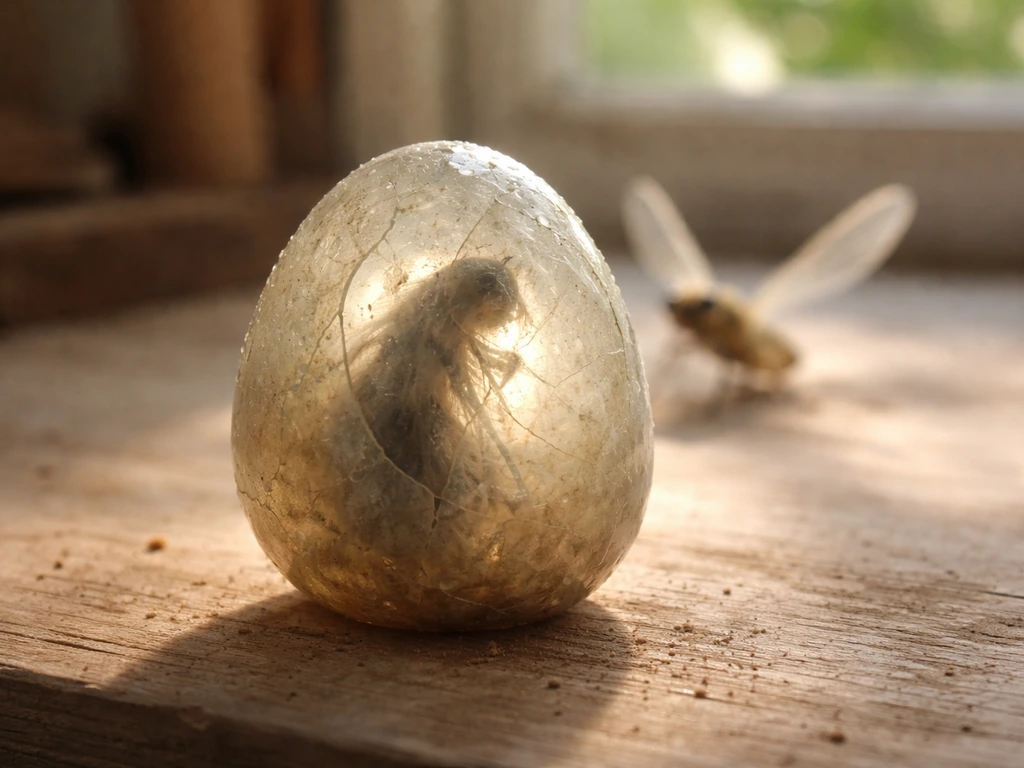
Your dragonfly most likely disappeared because of one of four things: it got lost in a hatching glitch, it was never saved properly after you obtained it, your inventory or collection UI desynced after a patch, or a placement/habitat condition caused it to stop registering. The dragonfly is a Divine-tier pet, so losing one stings hard given the 1% hatch chance from a Bug Egg that takes 8 hours to incubate. Let's narrow down exactly what happened to yours and get you back on track.
Why Did My Dragonfly Disappear in Grow a Garden? Fixes

Julian Russo
17 May 2026
Common disappearance causes in Grow a Garden
Before you panic, know that there are a handful of well-documented reasons a dragonfly goes missing. Some are game bugs, some are mechanics working as intended that catch players off guard, and one is a known patch fix that changed how certain pet interactions worked.
- Hatching glitch: This is the most reported cause. Multiple players have lost pets, including dragonflies, during the hatching sequence. The egg completes its 8-hour timer, the animation plays, but the pet never lands in your collection. This is a known issue and unfortunately one the devs have confirmed is difficult to reverse even with admin help.
- Patch changes: On January 27, 2026, a patch note specifically stated 'Fixed the dragonfly bug.' If your dragonfly disappeared around that time, a mechanic change or bug fix may have affected how it was stored or applied.
- UI desync or failed save: The game's sync between your local session and the server can drop, especially after updates. Your dragonfly might still exist server-side but isn't showing up in your current session.
- Inventory or collection limit hit: If your pet collection was at its cap when the dragonfly was added, it may have failed to register properly.
- Placement or habitat confusion: If you placed the dragonfly in a specific habitat tile and that tile was moved, reset, or the dragonfly was accidentally sold or released, it won't show up where you expect.
- Accidental release or sale: Easy to do in a hurry. The dragonfly may have been released or sold during a bulk management session.
Fast checklist: where your dragonfly should be right now
Run through these checks in order before assuming the worst. Your dragonfly might just be somewhere you haven't looked yet.
- Check your pet collection/inventory tab first. The dragonfly should appear here as a Divine-tier pet with the Transmutation passive listed.
- If you recently hatched it, check whether the hatching animation fully completed or froze. A frozen hatch often means the pet did not register.
- Look at your active garden placement. If you placed the dragonfly on a tile, scroll through your placed pets. It may be sitting on a tile you're not currently viewing.
- Check the habitat area specifically associated with bug-type or divine pets if the game separates them in your version.
- Restart your session (close and reopen the game). UI desyncs fix themselves roughly half the time with a fresh load.
- Look at your transaction or activity log if the game provides one. An accidental sale or release will show there.
Environmental and placement requirements that lead to despawn or death

The dragonfly is tied to crop activity through its Transmutation passive, which fires roughly every 5 minutes to turn a random crop gold. If the dragonfly is placed in a habitat or tile with no active crops nearby, it may appear to do nothing, which some players mistake for the pet being gone. It's still there, it just has nothing to act on. Make sure your dragonfly is placed in or adjacent to an active crop section of your garden.
Beyond that, check whether any recent garden reset or plot wipe affected placed pets. If you restructured your farm, demolished tiles, or used any reset mechanic, pets placed on those tiles can get unlinked from their position and fall into a limbo state where they're neither in inventory nor visibly placed. A full session restart usually resolves this, but if the tile was permanently removed, the pet should have returned to your collection automatically. If it didn't, that's a sync bug worth reporting.
Breeding and lifecycle mechanics that can replace or consume a dragonfly
The dragonfly doesn't have a known evolution chain that would transform it into something else, so it shouldn't be 'consumed' by a lifecycle progression the way some creatures in other games work. However, there are a couple of mechanics worth checking. If you were experimenting with breeding or combining pets and selected the dragonfly as an input by mistake, it may have been used in that process. Always double-check which pets you're using as breeding material before confirming any combination.
It's also worth knowing that the dragonfly hatches from the Bug Egg at a 1% rate, meaning if you were trying to breed or re-hatch one and confused a different pet hatching as your dragonfly, that would explain the confusion. The Bug Egg also hatches the Praying Mantis, so a mantis hatch could have been misread as a failed dragonfly hatch.
The Exotic Bug Egg variant reduces the hatch time from 8 hours to 30 seconds, which can cause players to rush through the process and miss what actually hatched. The Bug Egg page lists the hatch time and shows that a standard Bug Egg takes a full 8 hours to hatch, along with price and timing details Bug Egg hatch time takes a full 8 hours.
Inventory limits, storage rules, and UI and sync issues

If your pet collection was at its maximum capacity when the dragonfly was supposed to enter it, the game may not have added it at all. Check whether you're at or near your pet cap right now. If you are, clear some space and then check whether the dragonfly appears after a fresh login. Some players have reported that pets queued during a full inventory show up once slots open.
The January 27, 2026 patch that fixed the 'dragonfly bug' is also relevant here. If you had a dragonfly before that date and it disappeared around or after that patch, the fix may have altered how the pet's data was stored or how its Transmutation effect interacted with crops, and your specific save may not have migrated cleanly. This is one of those situations where a direct support report is your best move, since it's patch-related rather than user error.
General UI desync is also common after any significant update. The game loads your session from server data, and if that sync fails partway through, pets can appear missing even when the server still has them. The fix is boring but effective: fully close the game, wait a minute, reopen, and let the session load completely before checking your collection.
How to get a dragonfly back
If the dragonfly is genuinely gone and not recoverable through a sync fix or support ticket, re-obtaining one means going back to the Bug Egg. The standard Bug Egg costs 50,000,000 Sheckles and takes 8 hours to hatch. At a 1% hatch rate, statistically you're looking at around 100 eggs to get one dragonfly, though it can happen on your first try or take much longer. If you want a quick rule of thumb, use the 1% hatch rate to estimate how many Bug Eggs you may need for a dragonfly. That's a serious Sheckle investment, so treat each egg carefully.
If you can get your hands on the Exotic Bug Egg, the 30-second hatch time makes farming for the dragonfly dramatically faster. The tradeoff is availability since it's a limited-time variant, so check current in-game shops or events to see if it's accessible right now. Either way, the path back is the same: Bug Eggs, patience, and a bit of luck.
Before you commit to re-grinding, try filing a support report with your account details and a description of when the dragonfly disappeared. Especially if it happened during a hatch sequence or around the January 2026 patch window, there's a chance the support team can look into it, even if past reports suggest it's difficult to reverse. It doesn't cost anything to try.
What a successful recovery looks like
Once your dragonfly is back in your collection, you'll see it listed as a Divine-tier pet with the Transmutation passive clearly shown. When placed in your garden, you should see the effect trigger approximately every 5 minutes, turning a random crop gold. If you place it and see no gold crops appearing after 10 or so minutes of active farming, something is still off with placement or crop availability.
Prevention checklist to keep dragonflies from vanishing
Once you have your dragonfly back, a few habits will keep it from disappearing again.
- Never hatch a Bug Egg when your pet inventory is at or near its capacity. Free up at least 2 to 3 slots before starting any hatch.
- Let the hatching animation complete fully before closing the game or navigating away. Interrupting the sequence is the most common trigger for the hatching glitch.
- After any game update or patch, do a full session restart before checking on placed pets. Don't assume a pet is missing until you've had a clean load.
- Avoid bulk pet management sessions where you're rapidly releasing or selling pets. The risk of accidentally releasing a Divine-tier pet during a fast cleanup is real.
- Take a screenshot of your collection after you obtain a dragonfly. It takes two seconds and gives you proof of ownership if you need to file a support report later.
- If you restructure your garden layout or demolish tiles, manually move your dragonfly back to your inventory first rather than leaving it placed on a tile that's about to be removed.
- Keep an eye on patch notes after major updates. If a patch specifically mentions dragonfly mechanics (as the January 2026 one did), check your pet immediately after updating.
The dragonfly is one of the more valuable pets in the game given its passive gold crop generation, so it's worth the extra care. If you're also curious about how many Bug Eggs it typically takes to hatch one or what egg type is best for targeting the dragonfly, those are worth digging into separately since the numbers can really shift your farming strategy.
If you're also comparing pets for garden gold farming, you can look up how chicken zombie and dragonfly approaches differ and what to prioritize chicken zombie vs dragonfly grow a garden. If you want, you can also look up how many dragonflies exist in Grow a Garden to understand the broader rarity behind the pet how many Bug Eggs it typically takes to hatch one.
The egg you want is the Bug Egg, since the dragonfly hatches from it at a 1% rate what egg type is best for targeting the dragonfly.
FAQ
How can I tell the dragonfly is still active and not actually missing?
Check whether you have any active crops in the garden area where the dragonfly is placed. Transmutation should turn a random nearby crop gold roughly every 5 minutes, so if crops are being farmed and you see no gold after about 10 minutes, that points to a placement, crop activity, or desync issue rather than the pet being gone from your collection.
What if my dragonfly was placed, but I only see it sometimes after logging in?
That often indicates a sync delay rather than a permanent loss. Fully exit the game, wait about a minute, then reopen and only check the pet after the collection loads completely. If it appears after multiple logins but not others, note the timestamps for a support report.
Does moving or rebuilding my garden directly cause the dragonfly to vanish?
It can, especially if you demolish or reset the tiles the pet is linked to. If you restructured while the pet was on those tiles, the dragonfly can end up neither visibly placed nor in inventory (a limbo/sync state). A fresh session restart can resolve it when the tile layout is temporarily mismatched.
Can the dragonfly disappear if I reset my plot or wipe part of my farm?
Yes, if the reset removes or changes the tile the pet was attached to, it may not relink to its old position. If the tile was permanently removed, the pet should return to your collection automatically, but if it did not, the next step is to try a session reload and then escalate to support with the reset time.
Could I have accidentally used my dragonfly in a combining or breeding mistake?
Yes. If you selected the dragonfly as an input in any pet combine/breeding flow, the game can consume it without showing a clear “missing” message afterward. Double-check the selected inputs before confirming, and verify other pets in your collection for any unexpected decreases.
If I hatched multiple eggs, how do I know I just hatched a different bug?
The Bug Egg can hatch both a dragonfly and a Praying Mantis, so a “failed” attempt may have produced a different pet. Before assuming your dragonfly is missing, open your collection hatch history or compare the newly hatched pets around the same time window.
Is it possible the Exotic Bug Egg made me miss what actually hatched?
Yes. Because the Exotic Bug Egg hatches in about 30 seconds, you can overlook results if you are multitasking or quickly collecting items. If your hatching sequence was fast, confirm the exact hatch completion time and the pet you received from that egg.
What should I do if my pet cap is full when the dragonfly should have been added?
If your pet slots are at capacity, the game may not add the dragonfly even when a hatch or acquisition should trigger it. Clear space, then relog once to force the client to re-request the updated pet list. Some players also report pets queued during full inventory can appear after slots open.
If it disappeared around the January 27, 2026 patch, will a restart fix it?
Sometimes but not reliably, because patch changes may affect how the pet’s saved data or passive interaction is stored. If it vanished around that window, prioritize a support report with your character/account details and the approximate date and event (for example, after a hatch or after updating).
When should I stop troubleshooting and file a support report?
After you rule out crop activity, placement adjacency, pet cap, and basic UI desync (restart plus waiting for session load). If the dragonfly still does not show in inventory or placed slots after those steps, include your last known placement area, the date it disappeared, and whether it was near a hatch or patch day.
Once I get it back, what’s the quickest way to confirm it’s actually working?
Place it in or next to an active crop section, then farm actively and watch for gold crops to appear over the next 10 minutes. If gold conversions never show up during that window, the issue is likely placement adjacency or crop activity, not the dragonfly’s existence.
Next Article
What Egg Is Dragonfly in Grow a Garden and How to Get It
Find which egg makes Dragonfly in Grow a Garden, how to get it fast, verify it, and avoid mix-ups.